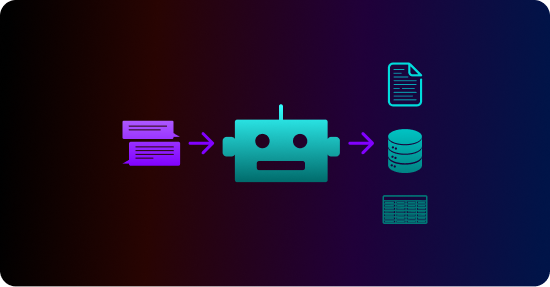
The Tonic Fabricate Data Agent allows you to use a chat-based interface to quickly generate realistic databases with traditional tables and columns.
But what if the database itself is not really what you need? For example, you're training an LLM to analyze patient billing forms. Or you want to test a product that scans customer email messages and uses the results to create support requests?
For these types of cases, you don't need a database. You need a collection of unstructured files that are populated with data from the database.
In this guide, we'll show you how you can use data from a Fabricate database to generate unstructured files.
What types of files can the Data Agent generate?
From the Fabricate Data Agent, you can generate the following types of files:
- Word (.docx)
- PowerPoint (.pptx)
- Email message (.eml)
Prompting the Data Agent to create files
At the simplest, you prompt the Data Agent to create the files, indicating the file type and the information to include.
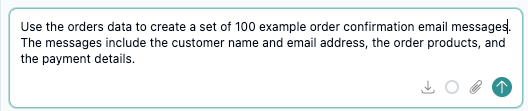
For example, for a retail sales database, the following prompt tells the Data Agent to use the orders data to create example order confirmation email messages.
Providing a template file to work from
If the files must follow a specific format, then you can attach a file for the Data Agent to use as a template.
For example, you want to generate a set of PDFs that contain summary information about customers in a customers table.
You want the PDFs to use the following layout:
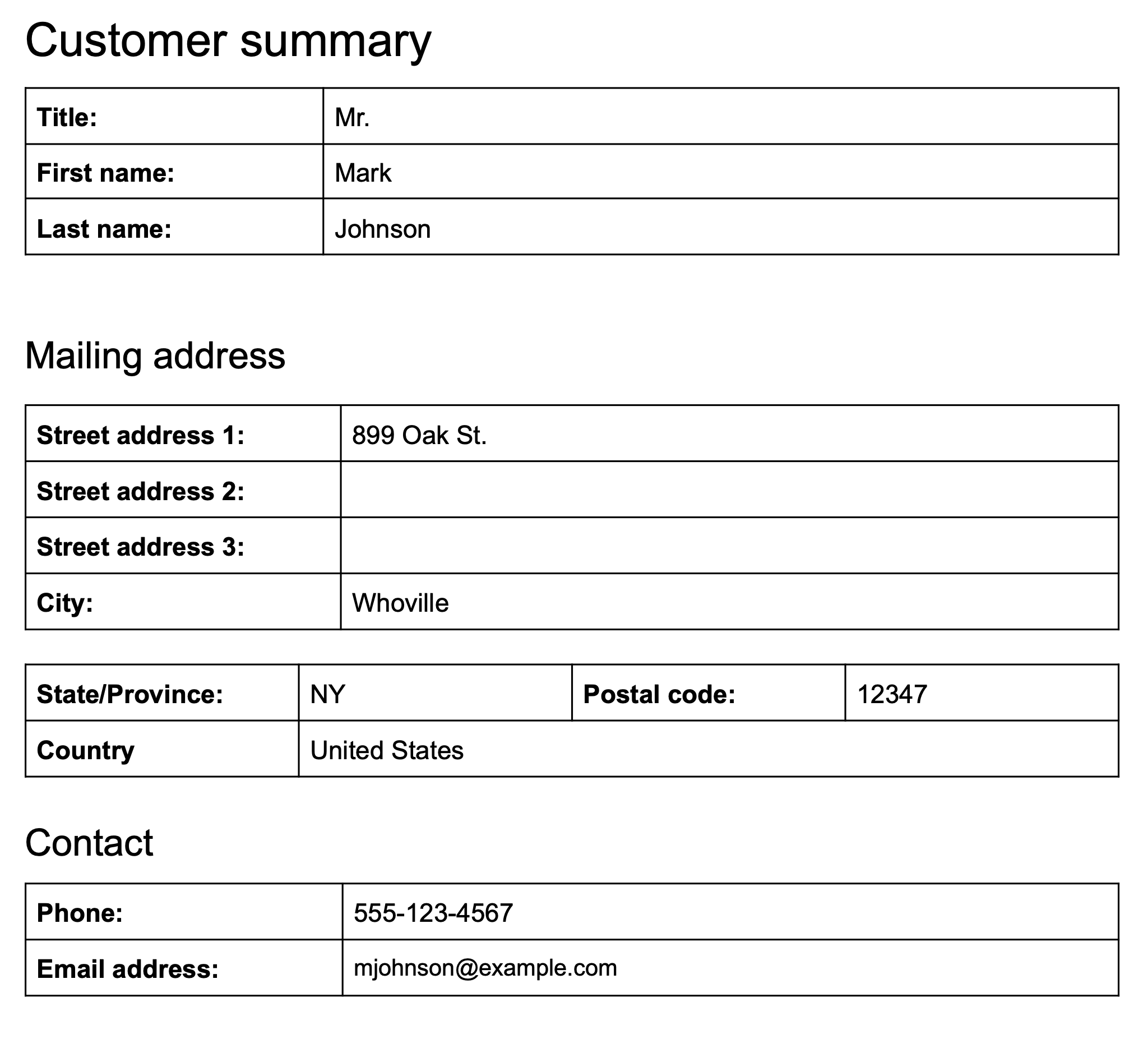
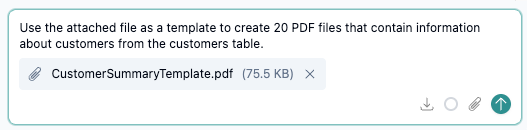
To ensure that the files use the correct layout, you attach a file as a template when you prompt the data agent to create the files.
How the Data Agent provides the results
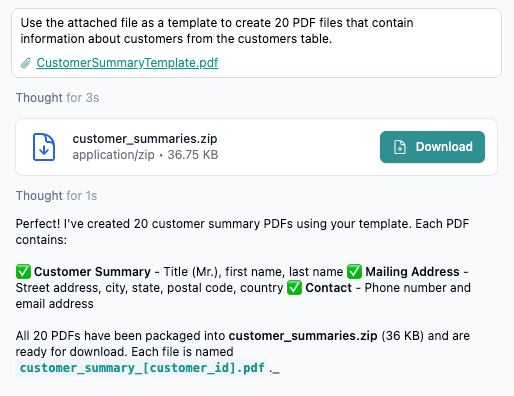
When it generates unstructured files, the Data Agent places the files in a .zip file, and displays a Download link.
Get the leading AI agent for unstructured data generation.
Create a free Tonic Fabricate account and chat your way to the data you need for any domain.
Recap
The Fabricate Data Agent allows you to quickly generate realistic data. However, for testing and training, sometimes what you actually need is a set of unstructured files such as PDFs or email messages.
You can prompt the Data Agent to create a collection of unstructured files based on the generated data. To help ensure that the resulting files meet your needs, you can optionally attach a template file for the Data Agent to work from.
The Data Agent bundles the files into a .zip file that you download from the chat.
The ability to generate a variety of unstructured file types greatly expands the use cases for generated data in Fabricate. Get started for free or connect with our team to learn more about Tonic Fabricate today.